

Hey! I’m Alena, former AI startup CEO ($2M raised), Yandex and Acronis Sr. PM with 10k LinkedIn followers, 57% of my followers are senior leaders from big tech, good company ;)
We all know the drill. You need to understand what real people think about a topic — not the landing page version, not the founder tweets. The real stuff. What people say in X threads when they’re frustrated, excited, or comparing tools at 11pm.
Normally this takes half a day.
Search, scroll, read replies (the real opinions are always in the replies), copy quotes into a doc, try to see patterns. By the end you’re fried and you’ve barely covered one angle. And you still don’t know what real people think — just the landing page version, not the 11pm X threads where people are actually honest.
Last week I typed one sentence into the Claude browser extension and went to make coffee.
Came back to a good enough breakdown. Pain points, what people love, what’s broken. Pulled from real threads.
Here’s the setup, what worked, and what you should watch out for.
What are AI browsers
An AI browser browses the internet like you do. Clicks, scrolls, reads pages, follows links. You give it a task in plain language. It figures out the steps.
Two worth trying:
Claude in Chrome — Anthropic’s extension. Side panel. Type a task, approve the plan, it runs. Can schedule tasks to repeat weekly. Needs a paid Claude plan.
Comet by Perplexity — Standalone browser. Same idea, free for Perplexity users.
Others are popping up fast (Fellou, Sigma). This workflow works with any of them.
Key thing: these aren’t scrapers. They navigate pages like a human — so they work on sites with no API at all. Like X.
The AI workflow loop
Most people think the hard part is writing a good prompt. It’s not. The hard part is knowing what to ask next.
You don’t write one perfect prompt. You run short iterations — get something back — use that to decide the next one. Each iteration sharpens the next.
5 stages: Explore → Narrow → Deepen → Lock → Maintain
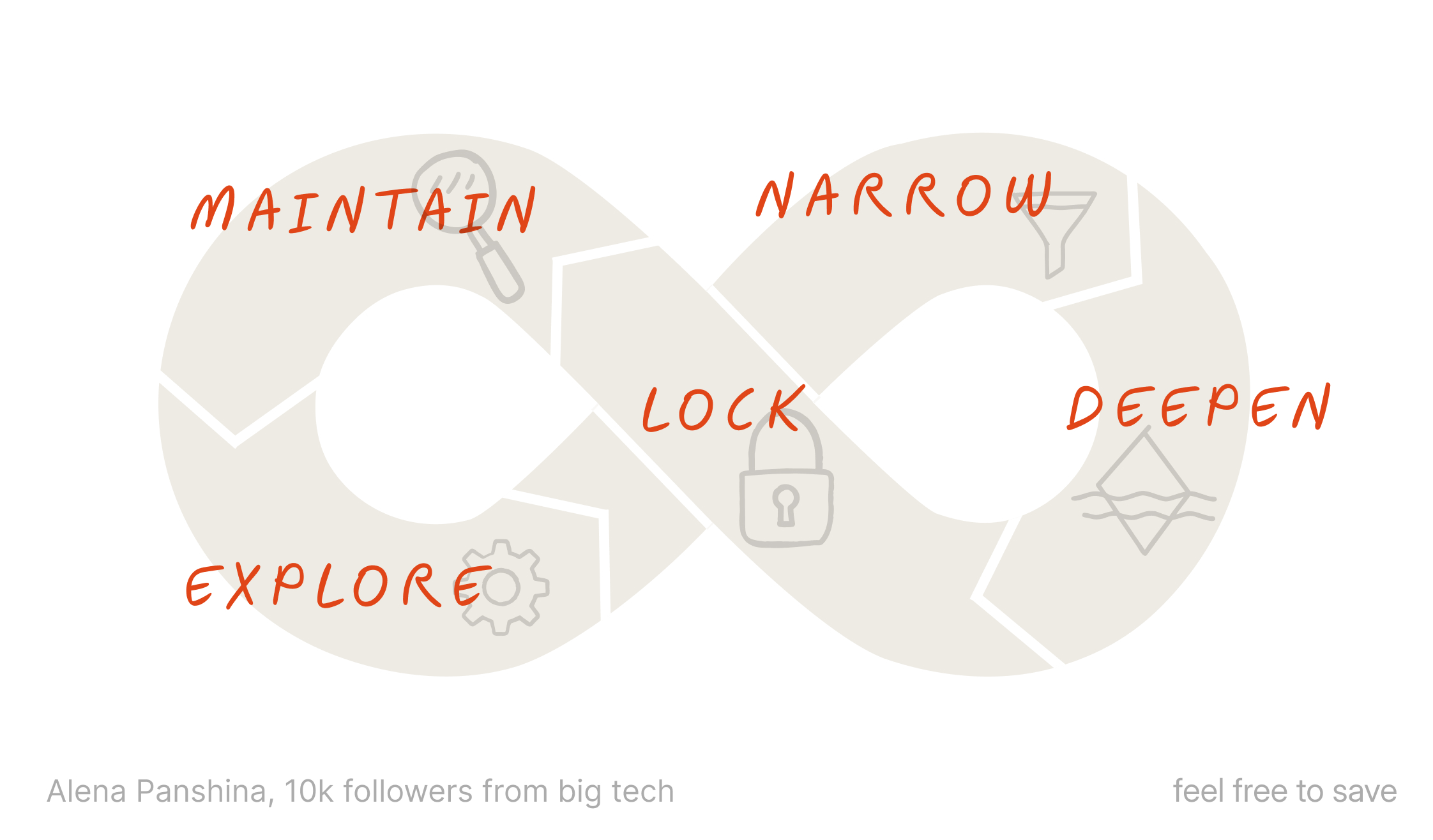
Here’s how it played out when I researched no-code AI agent tools on X.
1. Explore
Open x.com, launch the Claude extension, and type something like:
“On x.com find what people are saying about no-code AI agent tools — complaints, praise, questions, comparisons, everything”
No angle. No hypothesis. You’re mapping the conversation, not searching for a specific answer.
Claude shows a plan before doing anything:
Search X for threads about no-code AI agent tools
Try additional queries like “no-code AI agents experience” and “no-code agents honest review”
Read through threads and replies across all sentiments
Read the plan. If it makes sense, approve it. (Why you always read the plan — danger zone section below.)
Go make coffee.
Come back to a map. Mine showed:
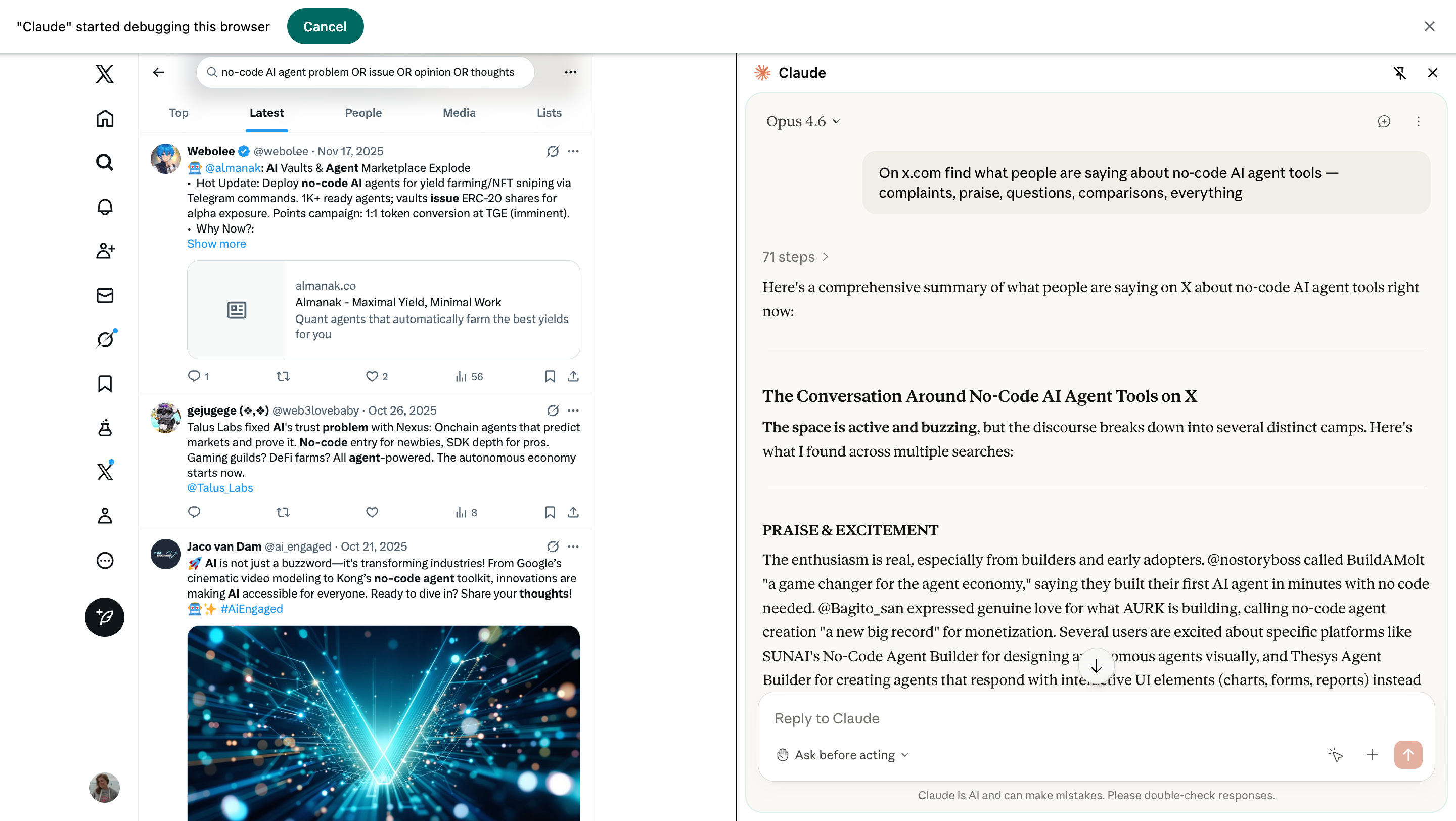
It won’t be perfect. But now you know what people actually talk about — not what you assumed they talk about.
2. Narrow
Pick the most interesting cluster from Explore. Zoom in.
My Explore showed the criticism cluster was the richest and most specific — users burning $50 in credits before an agent even runs, security teams worried about no-code tools shipping faster than threat modeling, platforms that help you launch but not scale, an AI agent publicly accusing a project of fake vulnerabilities. Four different problems, all with names and numbers attached.
So:
“Go deeper on the criticism around no-code AI agent tools. Focus on cost, reliability, and what happens after launch. Find what specific things break, what the actual costs look like, and who’s most affected”
3. Deepen
You read this far — here’s a small thank-you. If you want to keep reading (this post + every past post), your first month is $5.20, that’s 60% off. Feel free to cancel in the first 30 days and you pay nothing more.
The $5 link is open until June 1st. After that, it goes back to full price.