

Hey, shippers! Does AI answer your one-line question with three unreadable paragraphs and an offer to do more?
You might say: actually, 3 paragraphs isn’t that bad. With Fable 5.1, it’s usually a wall of text.
Well. You’re not alone.
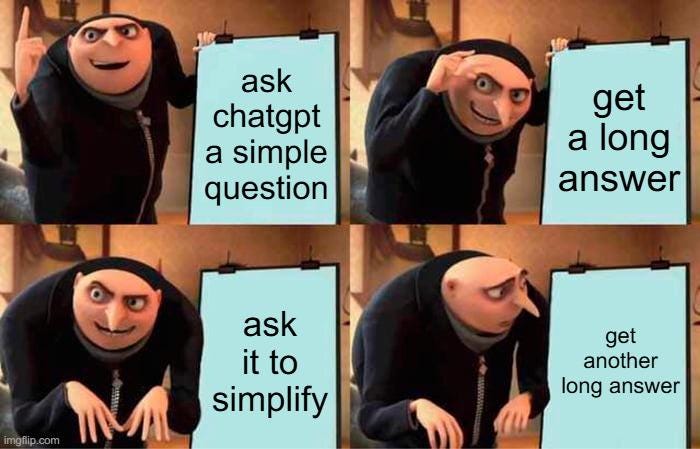
So, what should we do?
This week's theme is making Claude answer the way you want:
How to set up the default output style
How to set up your own output style
How to describe what concise means
How to govern answers to questions
How to use an established language standard
Bonus :)
I’ve been playing with group chats for my agents from different devices, so I’ll test all options with status updates for this project.
1. Set output style
Anthropic added an option to Claude Code settings.


To use:
Update Claude Code, then run the command:
/output-style conciseThat sets it for the project you are in. For every project, put
"outputStyle": "Concise"in~/.claude/settings.json
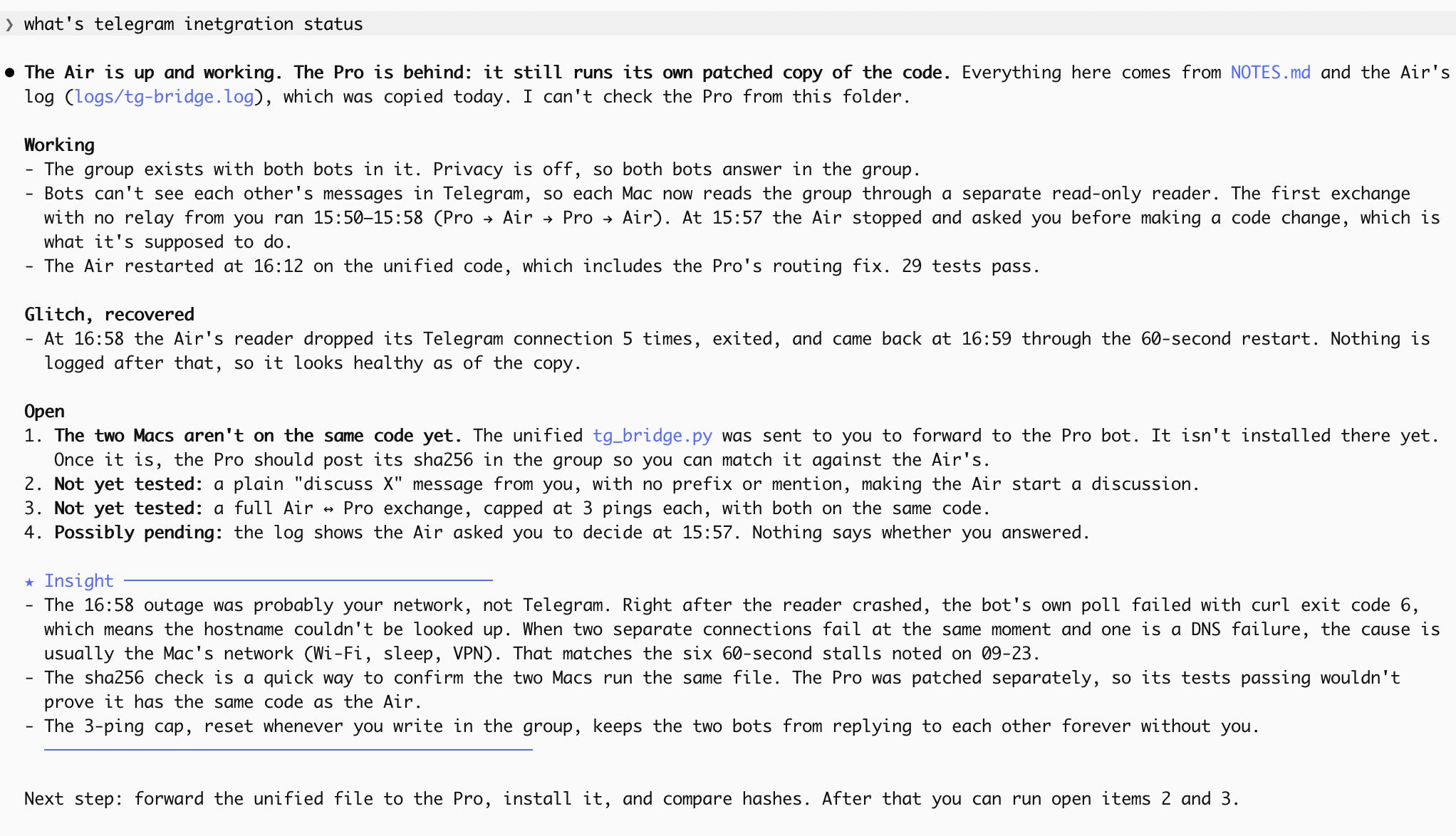
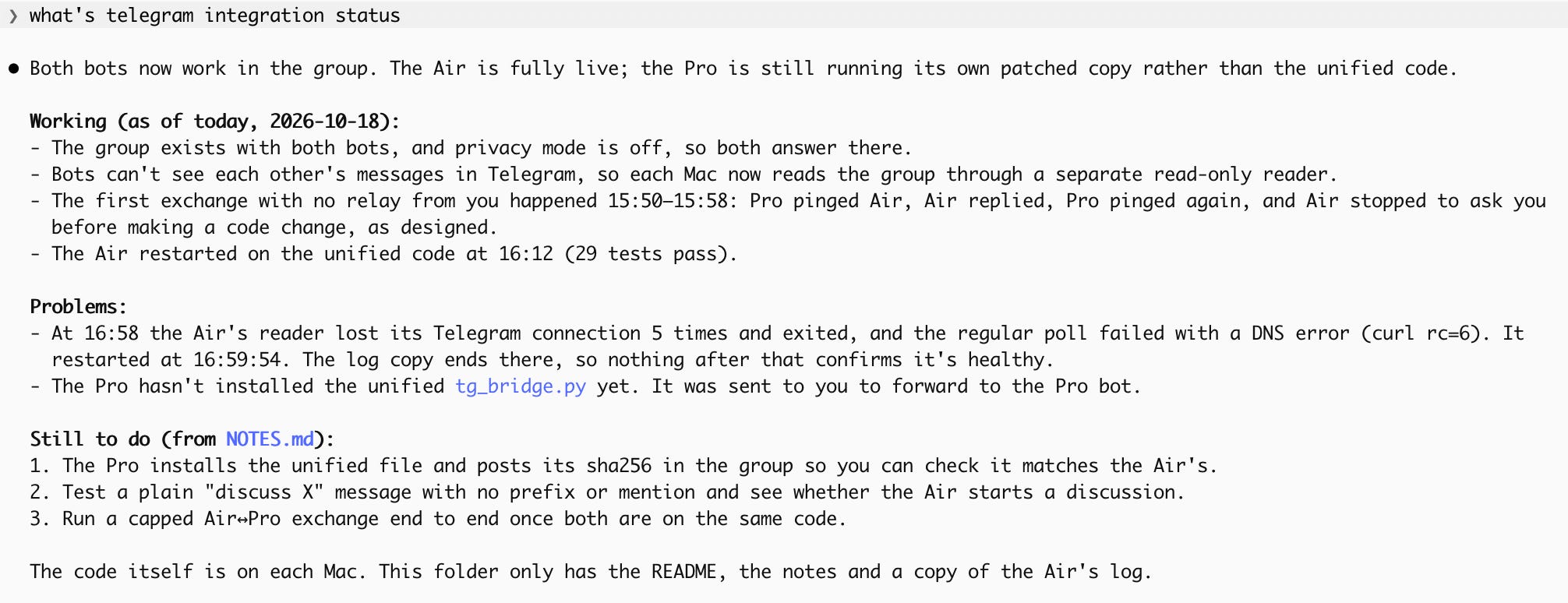
Results:
2. Write your own output style
The built-in style is generic.
So why not build your own? Mine is inspired by Karpathy’s tip later in the piece and by my preferences.
To use:
Save the file below as
~/.claude/output-styles/clean.md.Restart Claude Code.
Pick Clean under /config → Output style.
The file:
---
name: Clean
description: Google developer documentation style, answer first, at most 8 lines, then Next steps, Needed from you, and ETA.
keep-coding-instructions: true
---

Follow the Google developer documentation style guide (https://developers.google.com/style):
- Use second person ("you") and the imperative for instructions.
- Use active voice and present tense, so it's clear who does the action.
- Use simple words and short sentences. Avoid idioms, slang, and humor.
- Put code, commands, file paths, and ids in code font. Put UI elements in bold.
- Avoid "please", "simply", "it's easy", "quickly", "utilize", "leverage", "etc.", and exclamation points.

Put the answer first.
Keep the body to at most 8 lines. The closing block doesn't count toward the 8.
Keep lists to at most 5 items. For more than 5, ask one at a time.
Don't recap finished work. Don't open with a warm-up sentence.

End every reply with these three labelled parts, in this order:
- **Next steps**: what you do next. Write "None" when the work is finished. Never a plan, roadmap, or offer.
- **Needed from you**: only decisions or acts that the user alone can do, one line each. Otherwise write "Nothing."
- **ETA**: a specific duration or clock time for the next steps ("about 10 minutes", "by 4 PM"). Write "Done" when nothing is left.
Source: my own setup, Google’s technical documentation style, and Claude Code documentation.
Note: only one output style can be active at a time, so picking tip 2’s style replaces the Concise style from tip 1.
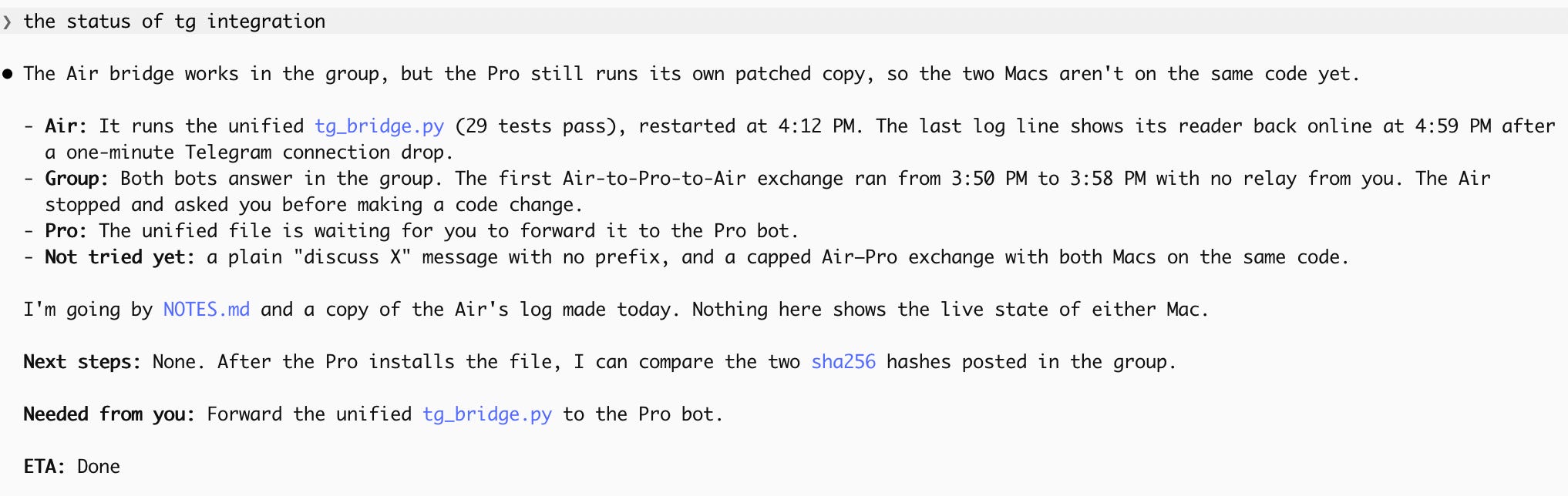
Result:
3. Tell Claude what concise means
If you don’t want to deal with these additional files and settings, you can just describe your preferences in CLAUDE.md.
A Redditor suggests avoiding a plain “be concise,” though, because “it can make Claude bury caveats or soften bad news to keep answers short.” This block says what never gets cut. The author also uses the Concise style from tip 1.
To use:
Paste the block below into
~/.claude/CLAUDE.md, so every project loads it.When answers drift long again, tell Claude to reread its CLAUDE.md.
The block:
Lead with the result. The first sentence says what happened, what the answer is, or what went wrong. Never restate what I asked.

Complete means nothing I need is missing, not that everything you know is included. Always keep, stated plainly and early: failures, bad news, assumptions you made, anything you skipped or left undone, caveats that change what I should do next, and anything I have to act on. This list wins over every length rule below.

Cut everything else by default:

- Narration of what you did or checked. Report the outcome, not the steps.
- Rationale for routine decisions. Explain a choice only if I asked, or if it was a judgment call I might reverse.
- Closing recaps and "next steps" that restate the message above. The message that ends a task must stand on its own, but that is the whole message, not a summary appended to it.
- Offers like "Let me know if..." or "Want me to...". Either do the work or ask one specific question.

Length: a simple question gets one to three sentences. A task report is under about 150 words, not counting code, error output, or draft text. Go longer only when the content itself is long: an explanation I asked for, a draft, a failing test's output.

Before sending, reread the first and last paragraphs. Delete the first if it is preamble and the last if it is an offer.
Source: u/Natural-Peace-874 on r/ClaudeAI
4. Tell the agent a question is not a task
I’d never thought about it, and I think it’s genius. I’m soo tired of stopping agents from changing the whole system while I just asked about one line source.
Ben Tossell added specific instructions about questions to AGENTS.md. YYou can use CLAUDE.md as well.
How to copy it:
Add the line below to the file your agent reads.
questions are requests for an answer, not changes.Source: Ben Tossell, Ben’s Bites
I also made a small change and added this:
§ Questions mean answers: “Can you…”, “could you…” and “why didn’t you…” still count as requests to act. Only a question that asks for information gets an answer with no changes.
Result:

5. Ask for language standards


ASD-STE100 is Simplified Technical English, the writing standard for aircraft maintenance manuals.
How to use:
Paste the line below after any answer that reads heavy or add it to your output style or CLAUDE.md from the tips above.
80% of the way to ASD-STE100Result:
(last week I was prepping for an AI Content Automation workshop and tried it right away)
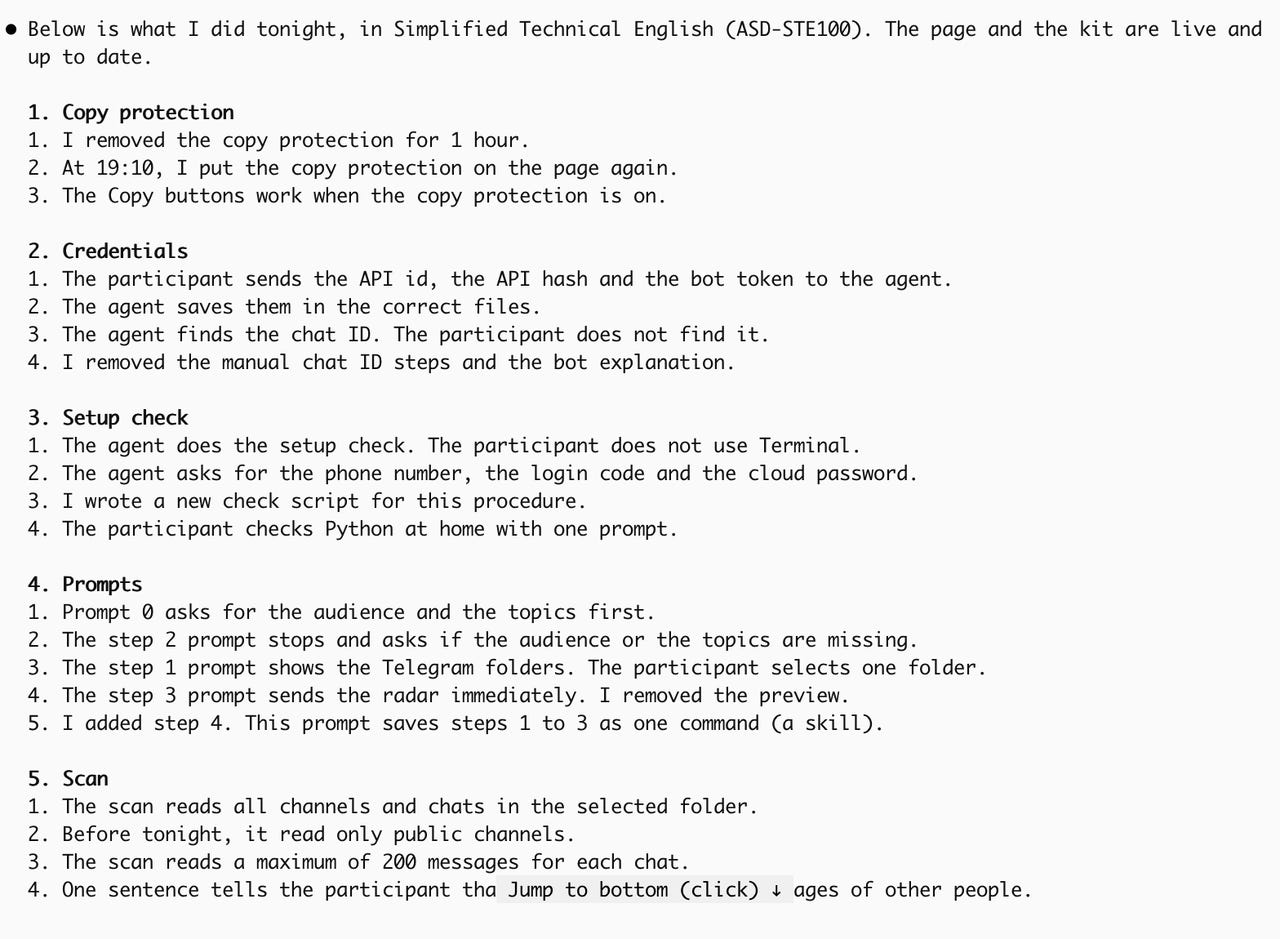
In the comments on my LinkedIn post, Nicholas Ma suggested using Google’s writing style instead, and I think it works better.

6. Bonus: make Claude talk like a caveman

Caveman is a skill by Julius Brussee with 113k stars on GitHub: https://github.com/JuliusBrussee/caveman.
Claude drops articles and chatter but keeps numbers, code and commands exact, and security warnings still get full sentences. It takes tips 1 and 3 to the extreme.
To use:
Run the command below. It installs only the voice.
npx skills add JuliusBrussee/caveman -gType /caveman if it doesn’t start on its own. Type
stop cavemanto go back.For the shortest answers, try /ultracave.
thank you for reading, Alena
I suffered from long witted, vague answers from llms for soooo long!
I must try it now!